14 Best iPhone Apps in 2027 You Should Install Right Now
Your iPhone can do a lot more than it does out of the box — you just need the right apps. In this guide we share 14 incredible iPhone apps that will help you get the most out of your phone: apps to help you focus better, shoot higher-quality photos and videos, and even turn your iPhone into a portable retro gaming machine. There will almost certainly be at least a few apps on this list that you end up installing, so let’s jump right into it.
1. CheatSheet — Remember the Little Things
First up is CheatSheet, a simple and free app for remembering the little things. It has a clean interface that mimics Apple Notes, and it houses your essential snippets — phone numbers, business registration codes, and random bits of information like that.
When you need to quickly pull up a code, you can open the app, search for it through Spotlight, or glance at it through widgets for quick access to important details. It is a simple app, but a very convenient one to keep on your iPhone.
2. Yuka — Scan Barcodes, Understand Ingredients
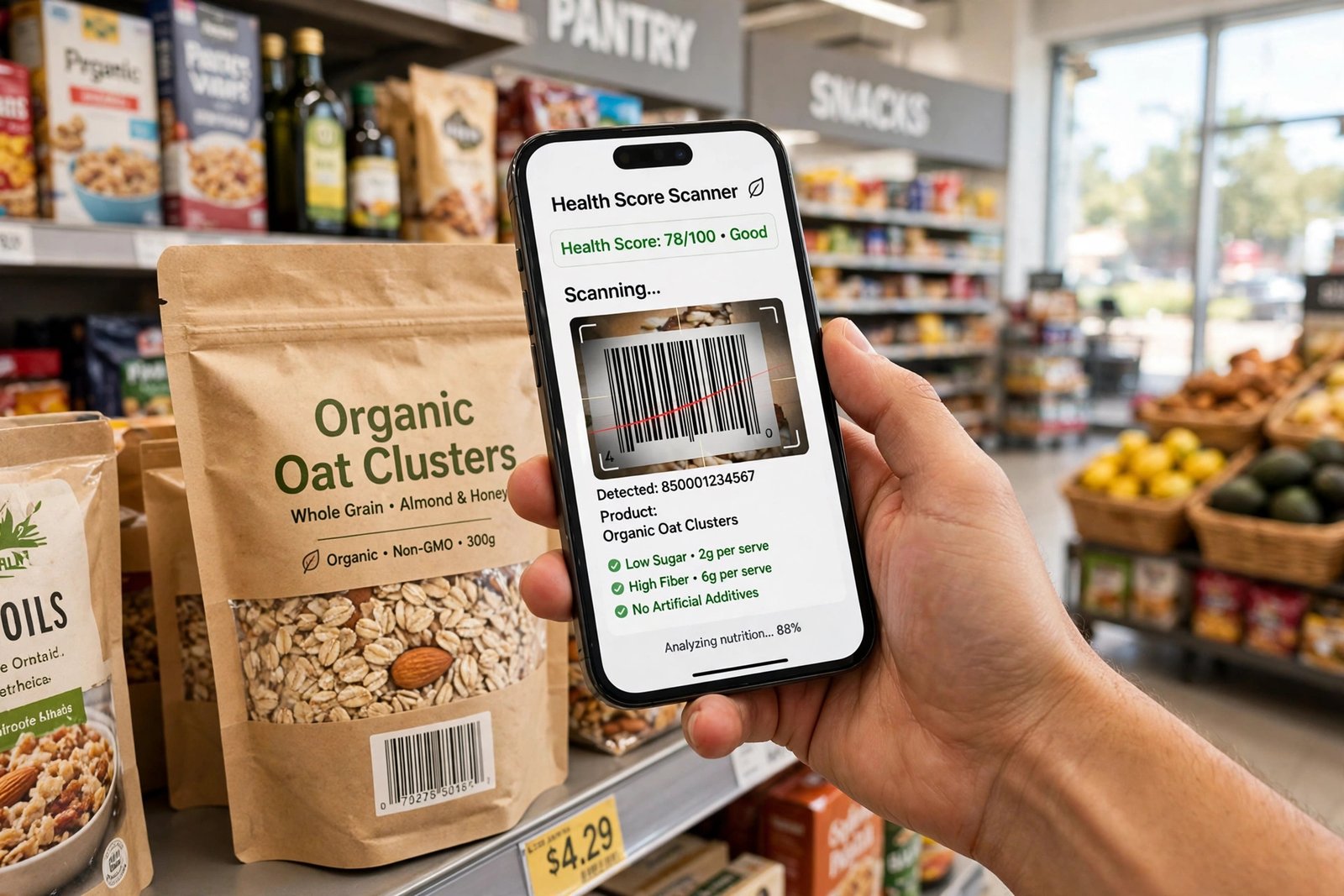
Next is an app many people wish they had found sooner: Yuka. It scans food and cosmetic barcodes and deciphers the ingredients for you — and it can seriously make you rethink your entire pantry.
Here is how it works. Take a product — say a tube of toothpaste — open the barcode scanner, scan the barcode, and the app immediately brings up the product with a health score. That is far easier than deciphering risky ingredients yourself, because let’s be honest, most of us don’t know what titanium dioxide or PEG-8 actually is. Yuka shows you the health risk and the details of exactly what each ingredient is, and you may be surprised how many potential carcinogens are sitting in your bathroom and pantry.
The great thing is that Yuka also provides unbiased recommendations for healthier alternatives. One fair warning from experience: take the ratings with a grain of salt and don’t get obsessive over what the app recommends.
3. Noir — Dark Mode on Every Safari Website
The Noir app forces dark mode across any website in Safari. This is great because your iPhone’s built-in dark mode doesn’t apply to a lot of websites — Wikipedia is a good example. Toggle on Noir, and it forces dark mode across all websites in Safari: Google, which has no default dark mode, goes dark, and so does Wikipedia.
For just a few dollars, this is a great app if you use your phone at night and don’t want to be blinded, or if you simply prefer the look of dark mode over light mode.
4. One Sec — Stop Mindless Scrolling
One Sec is a free app that can save you hours every week. Its goal is simple: stop mindless scrolling on social media.
When you open Instagram, One Sec kicks in and tells you to take a second and breathe. Then it asks: do you really want to open this app? It shows you the numbers — for example, that you have already tried to open the app 36 times in the last 24 hours, with the last use just an hour ago. That effectively guilt-trips you into saying no.
That simple reminder makes you realize you don’t actually want to check Instagram — you are just wasting precious time — so you put your phone back down. In theory, this app helps you get your time back.
5. Brain.fm — Music That Helps You Focus
Speaking of time-saving and focus, Brain.fm is worth checking out. You select a mental state — Focus, Relax, Sleep or Meditate — then choose the type of work you are doing, like learning, and set a timer, say 90 minutes.
The app plays binaural-style functional music, customized based on your preferences, with a countdown timer to help you work for extended periods. The clean, easy-to-use interface is a real plus, and the tunes genuinely help you stay focused for longer.
The only criticism: Brain.fm used to be completely free a few years ago, but now it only offers a free trial in the app. It is still worth trying.
6. Delta — Turn Your iPhone Into a Retro Console
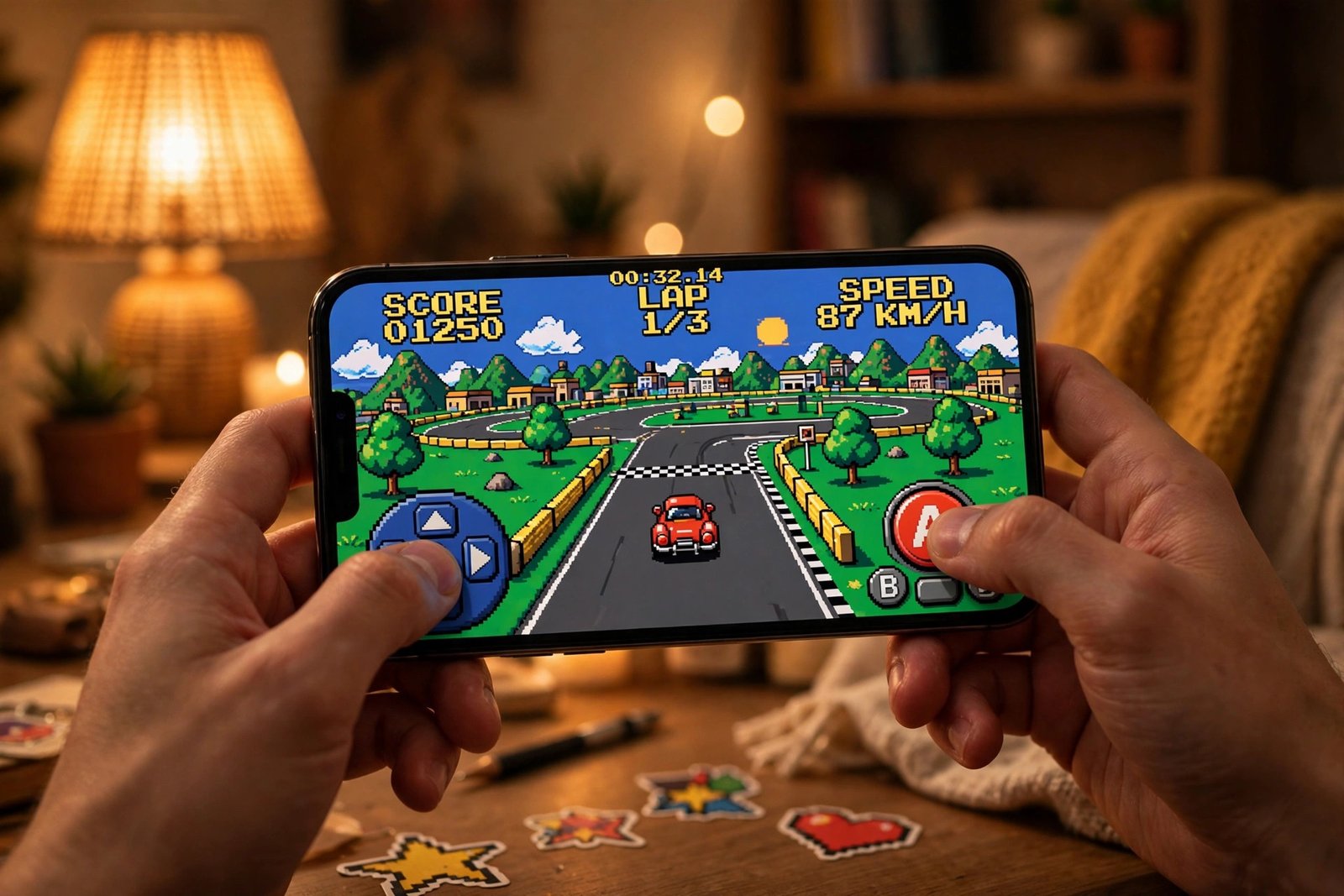
Moving to something more fun, Delta is hands down the best gaming emulator available on the iPhone. It emulates systems like the Game Boy Advance and the Nintendo 64, so you can play the retro games you already own.
Boot up a game like Pokémon Fire Red and it mimics the controls of a Game Boy Advance, complete with haptic feedback — and it works really well. Switch to a Nintendo 64 game like Mario Kart 64 and the entire controller layout changes, and you can even flip your phone for a full-screen immersive experience.
The fact that your iPhone can emulate these games without a problem is pretty incredible, and since Apple now officially allows emulators on the App Store, you can download Delta right now with no sideloading and load in the games you own. Pulling out your iPhone and accessing a library of nostalgia like this is a lot of fun, and it is definitely worth setting up.
7. Be My Eyes — Lend Your Eyes to Someone
The Be My Eyes app is a beautiful app that will restore your faith in humanity. It connects you with blind and low-vision people so you can assist them by seeing through their phone’s camera.
Once you install the app, you will receive calls here and there from vision-impaired people. Tap the notification and you are connected on a one-way video call where you become their eyes and help with whatever they need — anything from reading the instructions on a label to describing what is around them.
It is a brilliant app that makes the world a better place. If you have some time to spare, install it and lend a helping hand.
8. WeTransfer — Send Big Files From Your iPhone
WeTransfer is a simple but useful app for quickly transferring large files right from your iPhone. Upload the file, and the app generates a shareable link. You can set an expiration date and add a password if you like, then hit transfer.
When AirDrop doesn’t suffice, WeTransfer is the go-to file transfer app. The paid version can share files up to 200GB, and if you are budget-conscious, the free version lets you send files up to 2GB for free.
9. AnyList — The Shopping List App That Just Works
AnyList is a go-to shopping list app — and if you are serious about shopping lists, or tracking any type of list really, it is worth a look. At a glance it seems simple and typical, but it just works really well.
Open the grocery list, add an item — let’s call it “tuna” — and AnyList will automatically create a category (Seafood) to place it under. You can import ingredients from recipes, everything syncs via iCloud, and it is really easy to collaborate and share lists with other people using a single button.
One of the best features is its integration with Alexa and Siri: you can literally ask Alexa to add milk to the shopping list, and it appears right there in the app. You can replicate some of this with Apple Notes, but AnyList has a lot more useful functionality.
10. Sleep Cycle — A Sleep Tracker in Your iPhone
Sleep Cycle is a sleep tracker many people use religiously before upgrading to a dedicated sleep tracker like a smart mattress. You set it up like an alarm, place your phone face-up on your bedside table, and it uses your iPhone’s microphones to record your sleep patterns. It then analyzes them and gives you a sleep report every morning.
It is obviously nowhere near as accurate as a dedicated sleep-tracking device, but it is a great gateway sleep tracker for getting insights and improving your sleep quality.
11. Raindrop — Save Everything You Find Online
To organize content, articles and all the random things you find interesting on the internet, there is Raindrop. It has a really clean, cross-device interface where you can save snippets and collect them under different Collections, then tag and filter them manually or automatically.
It is similar to the popular Pocket app, but Raindrop offers a lot more features on the free plan. You can read the content right inside the app and use the toolbar to tag it, add it to a collection, and organize everything manually. It is simply a great all-in-one bookmark manager that is free to use.
12. Legit App — Check If a Product Is Real or Fake
Legit App is an authentication tool that confirms whether a product you own is legit or a fake replica. Tap start, choose the category — let’s say watches — pick the brand and the model, fill out the required details and shoot the required photos.
All of this information is sent to two human authenticators, who evaluate the photos. You then receive the verdict in the app. If the item is authentic, they also send you a digital certificate — a great way to prove a product’s authenticity before selling it to others, or just to confirm that what you bought is a legit item.
13. AppRaven — Never Miss a Price Drop
AppRaven is a simple App Store price tracker — think of it as a new App Store experience focused on discovering apps and games that have dropped in price or become completely free. It is a great way to discover new apps that might be buried in Apple’s App Store.
You can also track the price of a specific app: open it, tap the notification bell, and you will be notified when its price drops or it becomes free.
14. Final Cut Camera — Pro Video on Your iPhone
Finally, there is an incredible camera app from Apple itself: Final Cut Camera. If you are serious about capturing the best footage possible, this app is a must-try — and it is completely free.
It can capture video in a flat LOG profile, which looks washed out and desaturated at first, but gives you far more control in post-editing. There is also a host of camera controls you don’t get in the normal Camera app: multi-camera controls, different color and dynamic range options, an overexposure indicator, and focus peaking — essential tools when filming.
Which of These Best iPhone Apps Will You Install?
From focus tools like One Sec and Brain.fm, to nostalgia with Delta, to pro filming with Final Cut Camera, these are the best iPhone apps to get more out of the phone already in your pocket. If you are setting up a new device, our guide on how to prepare your iPhone before updating to iOS 28 will help you get the update right, and our guide on how to transfer data from Android to iPhone covers moving your data over safely.
FAQs About iPhone Apps
Which iPhone app helps stop social media scrolling?
One Sec. It makes you pause and breathe before opening apps like Instagram, and shows how many times you have tried to open them.
Is there an app to check food ingredients on iPhone?
Yes — Yuka scans food and cosmetic barcodes and gives each product a health score with ingredient details and healthier alternatives.
Can I play retro games on my iPhone?
Yes. The Delta emulator runs Game Boy Advance and Nintendo 64 games you own, and it is available directly on the App Store.
What is the best free sleep tracker for iPhone?
Sleep Cycle is a popular starting point — it tracks your sleep using the iPhone’s microphone and gives you a report every morning.
How can I force dark mode on websites in Safari?
The Noir app forces dark mode across websites in Safari, including sites like Wikipedia and Google that don’t offer one by default.